
March 2, 2026 / by Margarita Núñez Estimated read time: 6 minutes
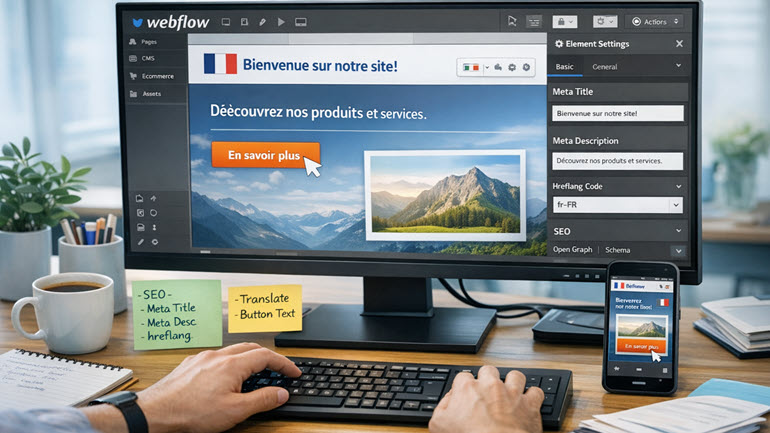 If your company is building on Webflow and ready to reach customers in multiple languages, you’ve got more than one viable path.
This post outlines two options, from simple file handoffs to connector‑based automation for getting your Webflow website easily localized.
Why Translate a Webflow Site?
Well‑localized sites consistently deliver better user engagement and organic visibility in their target markets. Webflow’s native localization features now make it easier to structure multilingual content, localize page settings and metadata, and publish locale‑specific URLs. These capabilities reduce engineering effort and help search engines understand the relationship between translated pages.
Two Types of WorkFlows for Webflow Localization
Depending on the size and cadence of your site, choose between a file‑based workflow and a connector‑based workflow that exchanges content directly with a Translation Management System (TMS).
1) File‑Based Handoff (ideal for small sites or a first pilot)
If your Webflow project has a limited number of static pages and a simple CMS, you can simply provide webpage URLs and a content map to SimulTrans and receive a bilingual Excel with the translated content ready for you to paste back into Webflow. This keeps technology costs near zero while benefiting from professional translation, review, and QA.
SimulTrans supports manual workflows like these and will still create a translation memory to eliminate paying twice for repeated text for future updates.
What you need to do:
- Identify the scope: webpages for translation, a list of languages for each locale
- Provide source content (all we need is the URLs)
- Approve quotes before translation work begins
- Paste translated text manually back into Webflow
- Verify that all the pages are fully localized (headers, footers, main page, page title, Alt text, and metadescription)
- Publish and check
PROS: No new tools, minimal setup, straightforward for a few pages.
CONS: More manual effort, higher risk of copy/paste errors, and limited scalability when you add locales or update content frequently.

PRO TIP: If you have Case Studies, eBooks or videos that also need localization, these resources will have to be sent in as well for translation. Ideally, send in the source files (InDesign, Ms Word, etc.) to facilitate an accurate quote.
2) Connector‑Based Automation (recommended beyond a handful of pages)
For ongoing updates or CMS‑heavy sites, we recommend automating content exchange using a Webflow specific connector.
What you need to do:
- Enable Webflow Localization in your Weblow CMS
- Install the connector from the Webflow marketplace and authenticate to your environment
- Select pages to localize
- Approve quotes before translation work begins
- Publish localized copy once it has been automatically imported into your CMS
PROS: Less manual work, fewer errors, native handling of SEO fields and CMS content, better scalability.
CONS: Requires the Localization connector cost and setup time by a developer.
Not Sure Which Path Is Right?
Start small with a file‑based pilot and move to a connector as you add pages or languages. Either way, SimulTrans will apply translation memories and use subject‑matter experts to ensure translation quality and speed.

How SimulTrans Helps
Our goal is to match the right level of process and technology to your site today with a path to scale tomorrow.
- Flexible intake: Send files manually, or via the connector
- Marketing‑savvy linguists: Our native‑speaker human translators with subject expertise fine-tune style and keywords per market
- Translation memory + glossaries: We maintain consistency and reduce cost as your site evolves
- Connectors and APIs: We implement and operate connectors and use automation to save time
- ISO‑certifications: We have ISO-certified workflows for both human translation and AI translation with human post‑editing
Explore more on our Website Translation page, including how we structure projects and handle ongoing updates, or check out our technology page to see how connectors, translation memory, and our client portal work together.
Ready to start?