


eLearning localization services
Comprehensive eLearning content translations
We translate eLearning content into 100+ languages. Our customers range from online education companies reaching millions of students to brands that localize training courses for their users and employees.
With in-house software engineers and video and audio specialists, we’re prepared to take on your next eLearning translation project, no matter the size or complexity.
SimulTrans’ professional native linguists use advanced technology to localize all components of your courses, including:
- Written content
- Audio and video
- Subtitles and closed captions
- Assessments
- Desktop software
- Mobile apps
How it works

How it works
- To begin the translation process, upload your files, receive a free quote, and approve it.
- SimulTrans’ expert linguists translate your eLearning content.
- SimulTrans’ audio engineers record voiceovers with your choice of AI voiceovers or traditional human voice talent.
- SimulTrans’ video engineers integrate your translated audio, video, and subtitles.
- We thoroughly review and test all course elements to ensure they work properly.
- You receive your localized course content.
Comprehensive eLearning content translations
SimulTrans is the preferred eLearning translation partner of so many leading brands because we understand the unique requirements and challenges that are involved in developing global training programs.
Our experienced teams are always available to work with you to find the best solution for your needs. This flexible, hands-on attitude is why we’ve been able to achieve a 97% customer satisfaction rate in 2025 and remain a leader in the industry since 1984.
Benefits of partnering with SimulTrans:
- There’s never an added cost to you for the tools and technology we use to translate your materials.
- We’ll always suggest the most cost-effective solution for your needs.
- Translation memory saves time and money by reducing unnecessary rework while maintaining consistency.
- The SimulTracker portal keeps every project organized and improves collaboration between teams.
- We connect our systems to yours to automate ongoing translation projects, accelerating work and reducing admin needs.
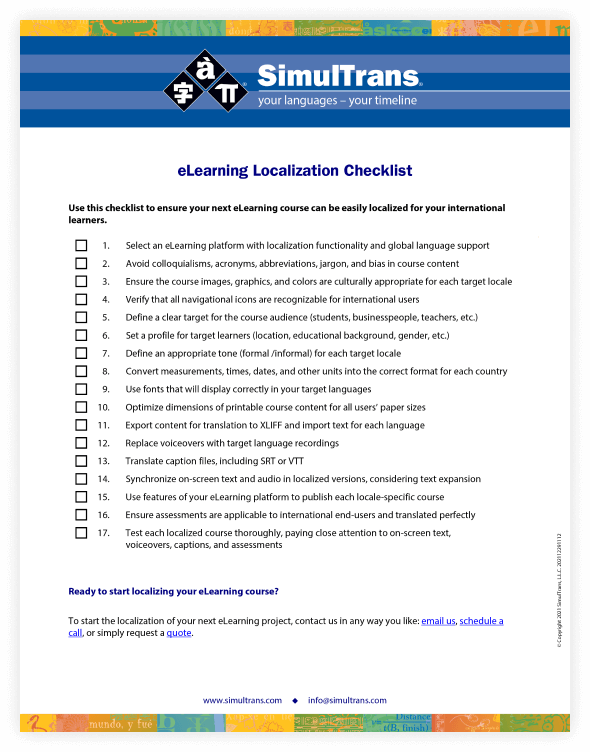
eLearning Localization Checklist
More insights
2026 eLearning Industry Challenges and Solutions
Aerogen eLearning Case Study
Localization of SCORM eLearning Courses
Frequently asked questions
How much does eLearning translation cost?
Our eLearning translation services are priced as follows:
-
Full human translation and review work is charged per-word
-
AI-translation and human post-editing is charge per hour
-
Editing and testing the eLearning courses is charged per hour
-
Formatting the PowerPoint documents is typically charged per slide
-
Subtitling or voiceover for the videos is usually charged per-minute based on the video length
Can my files be translated into any language?
Yes. While some learning management systems are not fully compatible with bi-directional languages and extended character sets (causing problems for Arabic, Hebrew, and Asian languages), our engineers can create customized solutions and provide advice on tools and workarounds to support the translation of your content into any language.
How many courses can you translate at once? How long does it take?
That’s up to you. We can accommodate projects of almost any size by scaling your translation team (some projects have over 100 translators per language). Our translators work simultaneously, so the number of target languages won’t impact your timeline.
If it’s determined to be a good fit for your content, we can also use post-edited machine translation to enhance our human translators’ output and accommodate rapid timelines.
Can SimulTrans localize SCORM packages?
SimulTrans localizes SCORM-compliant courses while preserving all functionality and tracking capabilities (time, completion, pass/fail, score). SimulTrans also helps clients convert existing course content into SCORM-compliant packages before translating them into any required language.
What type of multimedia content can SimulTrans handle?
Video: .mp4 (most common), mov, .avi, .wmv
Audio: .mp3, .wav, .aac
Image: .jpg / .jpeg, .png, .gif, .svg
What eLearning platforms do you have experience with?
SimulTrans can work with most industry-standard software platforms for creating and hosting eLearning content, such as Adobe Premiere, Adobe Captivate, Lectora, Articulate Rise 360, and Articulate Storyline 360, along with many others.
Please contact us if you are using a proprietary authoring tool to discuss the best approach.
What eLearning course packages does SimulTrans support?
Here is a breakdown of the most common Learning Course Packages that we work with:
- SCORM (.zip / PIF): The standard package format for LMS-hosted courses
- xAPI / Tin Can: Flexible format for tracking learning across multiple platforms and offline environments
- cmi5: Next-generation standard combining SCORM control with xAPI tracking depth
- STORY: Native project file format for Articulate Storyline 360
- XLIFF (.xlf / .xliff): The industry-standard XML format for translation workflows
- DOCX / PPTX: Source content in Word or PowerPoint format
How does SimulTrans handle cultural adaptation in eLearning content?
Cultural adaptation is one of the most complex aspects of eLearning localization. SimulTrans' approach includes:
- Up-front analysis of potential cultural issues in imagery, examples, scenarios, and messaging.
- Collaborative review sessions with in-country stakeholders.
- Development of region-specific glossaries and style guides.
- Identification of content that requires complete recreation rather than translation.
- Evaluation of images, colors, and symbols for cultural appropriateness in each target market.
- Assign native-speaking translators to ensure content feels natural and resonates with local learners.
What should I do to prepare my eLearning content for localization?
Proper preparation streamlines the process and reduces costs. Key recommendations include:
- Leave design flexibility for text expansion; translations can run 20–30% longer than English.
- Use live text instead of text embedded in graphics or video when possible.
- Provide source files for all graphics and animations.
- Avoid culturally specific idioms or colloquialisms in source content.
- Keep audio/video scripts separate from media files.
- Use clear, simple language in source content.
- Document any technical requirements or constraints.
What content do I need to send for translation?
Here is a list of digital learning content that is typically translated for an eLearning course:
- Learning Management System Content
- Quizzes and Tests
- Mobile Learning Applications
- Presentation Slides, Notes, and Handouts
- Student and Instructor Guides
- Technical Documentation
- Pre-recorded Lectures
- Simulations and Roleplay Videos
- Games, Activities, and Other Interactive Elements